
Track your orders without a spreadsheet

Tracking your orders means noting for every online purchase what you bought, from which shop, what it cost and what its status is. With five orders a year you can do that in your head. Beyond that, you need something that thinks along with you.
Familiar situations after you order
-
Orders arrive in parts
Two items now, one next week, and one turns out to be sold out. By then the confirmation email is long out of date.
-
Paying lags behind
When you pay later, the bill comes days or weeks after the order. By then you no longer know exactly which order it belongs to.
-
A return isn't done when you post it
After that you are still waiting for your money. That is the moment things most often get left behind.
-
Every shop does it differently
One emails you at every step, another only sends an order confirmation. You never have one fixed overview.
On their own, these are all manageable. Added together, they are the reason you're not sure whether you'll still get that one refund.
What to note for each order
You don't need much, but you do need the same things every time:
| Detail | Why |
|---|---|
| Shop and order date | Tells you where to go and when the cooling-off period ends |
| Items with prices | So the total stays right when something drops out |
| Status per item | Received, kept or returned can differ within one order |
| Paid or not | Especially when you pay later |
| Return deadline | The date your choice becomes final |
| Refund | The amount you are still owed |
Once this is noted for each order, you can see at a glance what is still open. That is exactly what a spreadsheet doesn't do: it shows everything equally loudly, including what was settled long ago.
How Orderlyst handles it
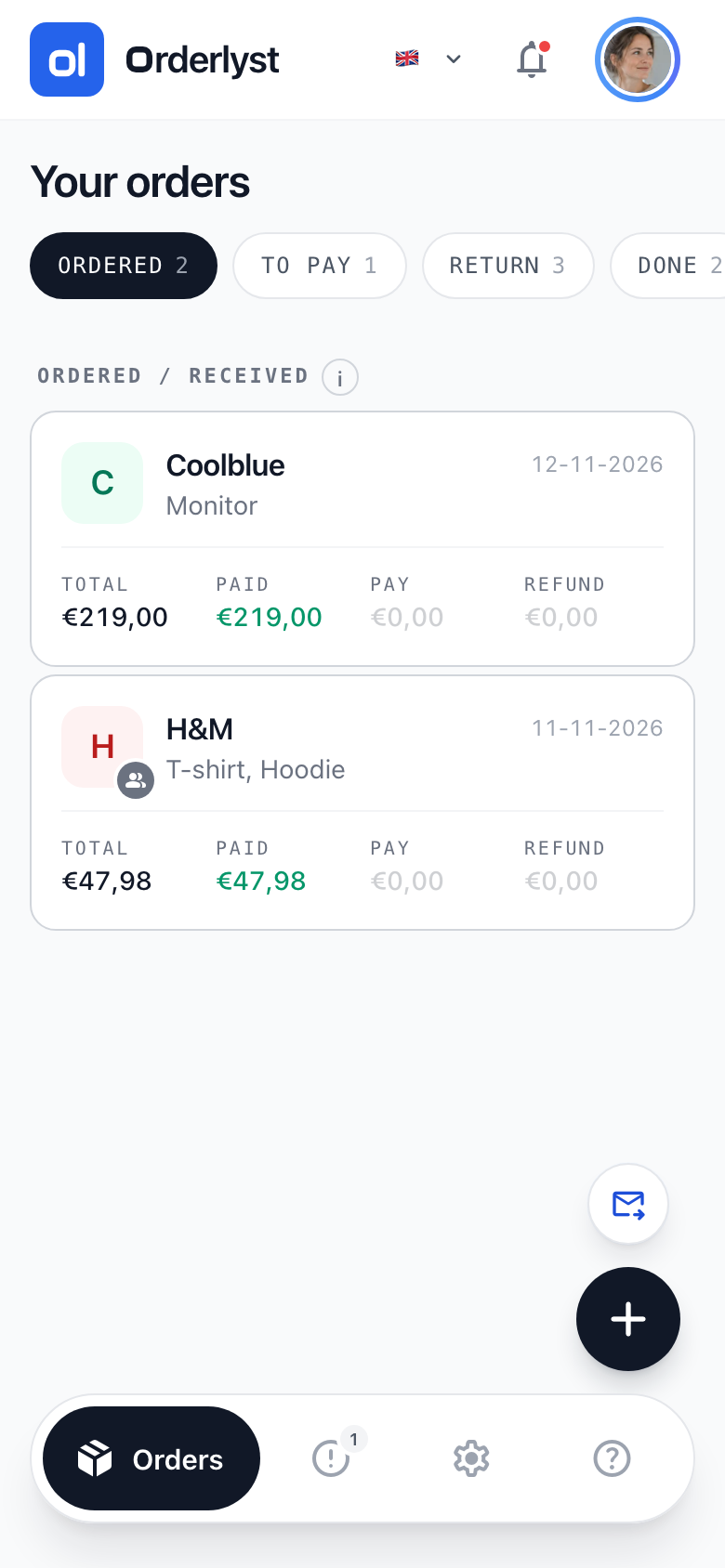
- You mark per item whether you keep it or send it back, so a half-finished order doesn't stay in your way
- You see at the top which payments and refunds are still outstanding
- You get a warning when a return deadline is about to pass
- Settled orders drop to the bottom by themselves, so your list stays short
You don't have to connect any accounts and nobody looks into your mailbox. You decide what goes in.
Frequently asked questions
Can't I just keep track of my orders in a spreadsheet?
You can, and for a handful of orders a year it is enough. The difference is in what happens afterwards: a spreadsheet doesn't work out a return deadline, doesn't warn you when it is running out and doesn't tell a settled order apart from one that is still running.
How much work is it to keep up?
Adding an order takes about half a minute. Most of the work is at the start, when you enter your current orders once. After that, little changes per order.
Does Orderlyst track parcels with the carrier?
No. Orderlyst doesn't follow parcels at carriers. It keeps track of what you decide about an order: what has arrived, what you keep, what goes back and what is still open financially.
Start with an empty overview
Add your first order and see straight away what is still open.
Create free account
Checked on 28 October 2026