
Keep track of buy now, pay later

Payment due soon
You may still need to pay for the Wehkamp order from October 14 (€104.90).
Paying later is handy: you see what you get first and pay afterwards. It gets awkward once four orders are running at the same time, with three different providers and payment deadlines you never see side by side.
When you pay upfront, an order is done the moment you check out. When you pay later, that is exactly when something starts: an amount due in fourteen or thirty days, sometimes only after you have sent part of it back.
What makes paying later tricky
-
The bill comes later
The bill arrives days or weeks after the order. By then you no longer remember exactly what was in it.
-
Returns get mixed in
If you send something back, the amount should go down. You can only check that if you know what was outstanding in the first place.
-
Several providers at once
Klarna, Riverty, PayPal, an invoice from the shop itself: each with its own app, emails and deadline.
-
A missed deadline costs money
Late fees are not a disaster, but it is a waste of money you could simply have paid on time.
Keep upfront and later apart
In Orderlyst you set for each payment method whether you pay upfront or later. When you create your account you can start with a few common ones, such as credit card, PayPal, Klarna, Riverty and pay by invoice; you can change them or add your own.
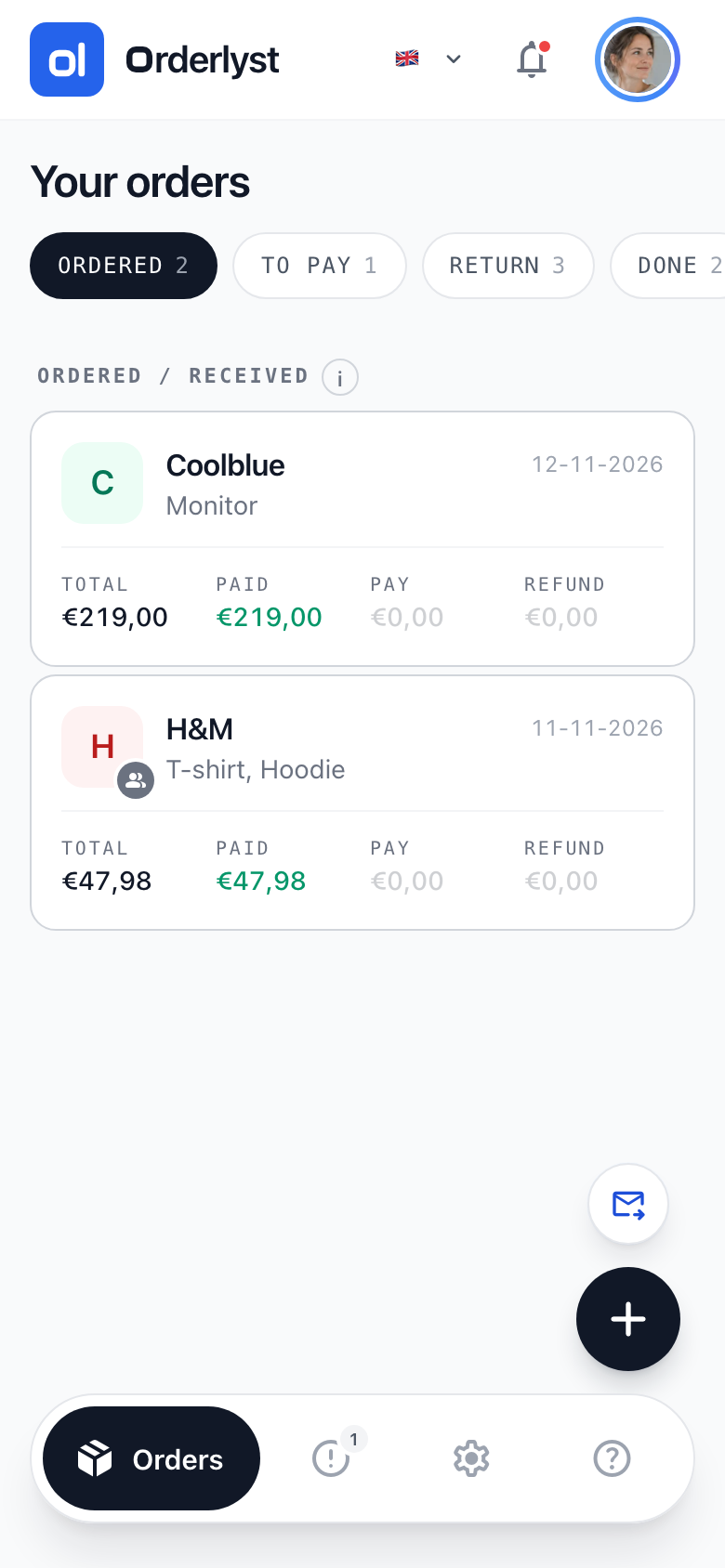
After that, each order shows two amounts side by side: what you have already paid and what is still outstanding. The To pay tab shows the amount you still have to pay.
- You see in one list what is still outstanding across all your orders
- If you pay part of it, only the rest stays open
- If you send something back, you see both the outstanding amount and the refund you expect
- A settled order drops to the bottom and keeps your list short
Orderlyst does not connect to Klarna, Riverty or your bank. Nobody looks into your mailbox and no payment data comes in. You note what is outstanding yourself, and that is exactly why the overview stays yours.
Frequently asked questions
Can Orderlyst fetch my Klarna bills?
No. There is no connection to payment providers or banks. You note yourself which amount is outstanding for which order, just like the rest of your order details.
What if I send part of an order back?
You set the status of that item to Return. Its amount then moves to the refund you expect, while the rest simply stays to be paid.
Does this work for paying in instalments?
Yes, as long as you keep track yourself of what is still outstanding after each instalment. Orderlyst doesn't work out a payment schedule; it keeps track of the amount still to pay.
Start with an empty overview
Add your first order and see straight away what is still open.
Create free account
Checked on 28 October 2026